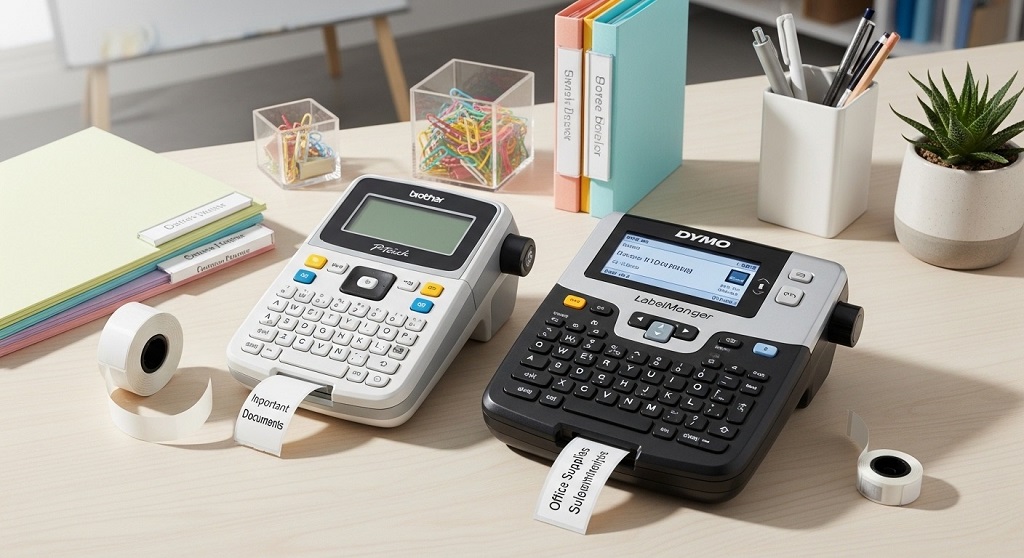
Use Brother P-touch and DYMO LabelManager label makers to create standardized, durable labels for files, storage bins, cables, shelves, and equipment. Apply consistent naming rules, choose the right tape type, and organize by category to improve efficiency and reduce time waste.
Walk into most offices and you’ll see the same problem. Cables mixed together. File cabinets packed without labels. Storage boxes marked with handwritten notes that fade over time. Employees waste minutes every day searching for documents, supplies, or equipment.
Those minutes add up. A study by McKinsey found that employees spend nearly 20% of their time searching for information. That’s one full day per week lost. Poor labeling is one of the simplest causes of this inefficiency.
This guide shows you how to use Brother P-touch and the DYMO LabelManager effectively for office organization. You’ll learn setup steps, labeling strategies, formatting rules, tape selection tips, and a practical case study that demonstrates measurable results.
If you want a structured, practical DYMO LabelManager Guide and Brother P-touch workflow that improves productivity without expensive software, this article is for you.
Why Should You Use Brother P-touch and DYMO LabelManager for Office Organization?
Short answer: Label makers create clear, durable, professional labels that improve workflow, reduce search time, and standardize organization across departments.
1. Reduce Time Wasted Searching
Unlabeled storage leads to delays. Clearly labeled shelves and files reduce decision time. Employees instantly know where items belong.
2. Improve Professional Appearance
Printed labels look consistent. Handwritten labels look temporary and unstructured. In client-facing environments, presentation matters.
3. Standardize Filing Systems
When every department follows a labeling system, onboarding becomes easier. New staff learn the system quickly.
4. Increase Accountability
Labeled equipment and storage bins clarify ownership and responsibility. This reduces misplaced tools and supplies.
Both Brother P-touch label printers and DYMO LabelManager models support:
- Multiple font sizes
- Bold and underline formatting
- Symbol insertion
- Different tape widths
- Durable adhesive labels
That makes them ideal for structured office organization systems.
How Do You Set Up a Brother P-touch Label Maker for Office Use?
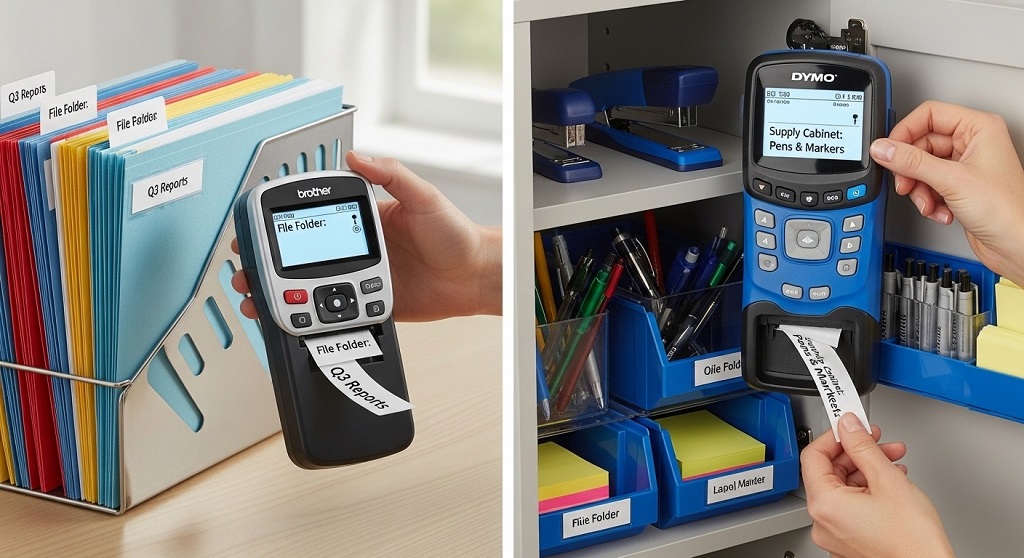
Short answer: Insert batteries or connect power, load TZe tape cassette, turn on the device, format text, preview, and print.
Step 1: Install Power Source
Most Brother P-touch models operate on AA batteries or an AC adapter. For office use, an adapter is recommended to avoid downtime.
Step 2: Insert TZe Tape Cassette
Open the back cover. Insert the compatible TZe tape cartridge. Ensure it clicks into place. Close the lid securely.
Step 3: Configure Text Settings
- Select font size
- Choose style (normal, bold)
- Adjust label length
- Set margins
For file folders, 12mm tape works well. For storage boxes, use 18mm for visibility.
Step 4: Print and Cut
Preview the label. Press print. Use the built-in cutter for clean edges.
Pro Tip: Standardize format. For example:
ALL CAPS for cabinet labels
Title Case for file folders
Short codes for storage bins
How Do You Use the DYMO LabelManager for Office Organization?
Short answer: Load D1 label tape, power the device, type text using QWERTY keyboard, format label, preview, and print.
This DYMO LabelManager Guide focuses on practical office applications.
Step 1: Load DYMO D1 Tape
Open the compartment. Insert the D1 tape cartridge. Close until secure.
Step 2: Choose Tape Width
- 6mm – small items, cables
- 9mm – folders
- 12mm – drawers and bins
- 19mm – shelving and storage areas
Step 3: Format for Clarity
Use bold text for department labels. Use frames for equipment tags. Avoid decorative fonts in office environments.
Step 4: Use Symbols
DYMO LabelManager devices include icons such as arrows and warning symbols. Use these for storage direction or safety labeling.
Step 5: Print and Apply
Clean the surface before applying labels. Press firmly for adhesion.
What Is the Best Labeling System for Office Files and Cabinets?
Short answer: Use a hierarchical labeling system: Department → Category → Subcategory → Year.
Example structure:
| Department | Category | Subcategory | Year |
|---|---|---|---|
| HR | Recruitment | Contracts | 2025 |
| Finance | Invoices | Vendors | 2026 |
Print cabinet labels with large font. Use smaller labels on individual folders.
Why This Works
- Prevents misfiling
- Improves retrieval time
- Supports document audits
Both Brother P-touch and DYMO LabelManager support multi-line labels, making this structure easy to implement.
How Can You Organize Office Storage, Cables, and Equipment with Label Makers?
Short answer: Categorize items, assign storage zones, label shelves and containers clearly, and use cable tags for IT organization.
1. Storage Bins
Label front-facing areas with large font. Example:
STATIONERY
MARKETING MATERIALS
ARCHIVE FILES
2. Cable Management
Use 6mm or flexible tape for cables. Include device name and port.
Example:
PRINTER-USB
ROUTER-LAN1
3. Equipment Tracking
Add department codes:
IT-01
HR-LAPTOP-02
This reduces confusion and speeds up troubleshooting.
What Does a Real Office Case Study Show About Using Label Makers?
Short answer: Structured labeling reduced document retrieval time by 32% in a small administrative office.
A 15-person administrative firm implemented a structured labeling system using Brother P-touch for cabinets and DYMO LabelManager for equipment tags.
Initial Problem
- Misfiled documents
- Shared equipment confusion
- No standard naming format
Solution Implemented
- Standard file naming system
- Labeled all cabinets
- Cable tagging system
- Color-coded departments
Results After 60 Days
- 32% faster document retrieval
- Reduced supply duplication
- Improved onboarding efficiency
The total investment in label printers and tape was under $300. The time savings paid for itself within two months.
Which Is Better for Office Organization: Brother P-touch or DYMO LabelManager?
Short answer: Brother P-touch is ideal for durable laminated labels. DYMO LabelManager is better for quick formatting and keyboard familiarity.
| Feature | Brother P-touch | DYMO LabelManager |
|---|---|---|
| Tape Type | Laminated TZe | D1 Tape |
| Durability | High | Moderate to High |
| Keyboard Layout | ABC or QWERTY | QWERTY |
| Office Suitability | Archiving | General Office |
For long-term file storage, Brother laminated labels resist fading. For everyday office labeling, DYMO provides ease of use.
How Do You Maintain Label Makers for Long-Term Use?
Short answer: Store in dry conditions, remove batteries when unused, clean print head, and use compatible tapes.
- Avoid humidity exposure
- Use manufacturer-approved tape
- Keep cutter blade clean
- Replace batteries regularly
Routine maintenance ensures consistent print quality.
Conclusion: How Can You Start Organizing Your Office Today?
Office clutter slows teams down. Searching wastes time. Inconsistent labeling creates confusion.
Brother P-touch and DYMO LabelManager label makers provide a practical solution.
Start small. Label one cabinet. Organize one storage area. Create one naming system. Then expand department by department.
The impact compounds quickly. Reduced search time. Improved clarity. Stronger workflow.
Take action today: Audit your office storage areas and implement a structured labeling system using this DYMO LabelManager Guide and Brother P-touch strategy. Measure the difference in 30 days.
Frequently Asked Questions (FAQs)
1. What tape should I use for long-term file storage?
Use laminated TZe tape for Brother P-touch. It resists fading, moisture, and abrasion.
2. Can DYMO LabelManager labels be removed easily?
Standard D1 labels are removable from most smooth surfaces without residue.
3. What label size is best for file folders?
9mm or 12mm tape works best for visibility and space balance.
4. Is labeling worth the cost for small offices?
Yes. Even small teams save time when items are clearly categorized and labeled.
5. How often should labels be replaced?
Replace labels only if damaged or outdated. Laminated labels can last years indoors.
6. Can I create multi-line labels?
Yes. Both Brother P-touch and DYMO LabelManager support multi-line formatting.
7. How do I prevent tape jams?
Use compatible cartridges and ensure the tape is properly seated before closing the compartment.
Related Topics: How to Choose a Vacuum for Carpets and Hardwood Floors
What Next: How to Protect Your Sofa with Scratch-Resistant Couch Fabric